Ai-Review







📢 Latest News
- [20/08/2026] Added Relative Rank: compare your manuscript with papers from a target venue (or ones you upload) and see where it stands. Try it here. Evaluation on 100 pools: Examples/Relative_Rank_evaluation.md.
📖 About Ai-Review
This repository is dedicated to using AI to optimize papers, making it easier for researchers to check the strengths, weaknesses, and improvement suggestions of manuscripts, and to gauge how competitive a paper is relative to comparable work.
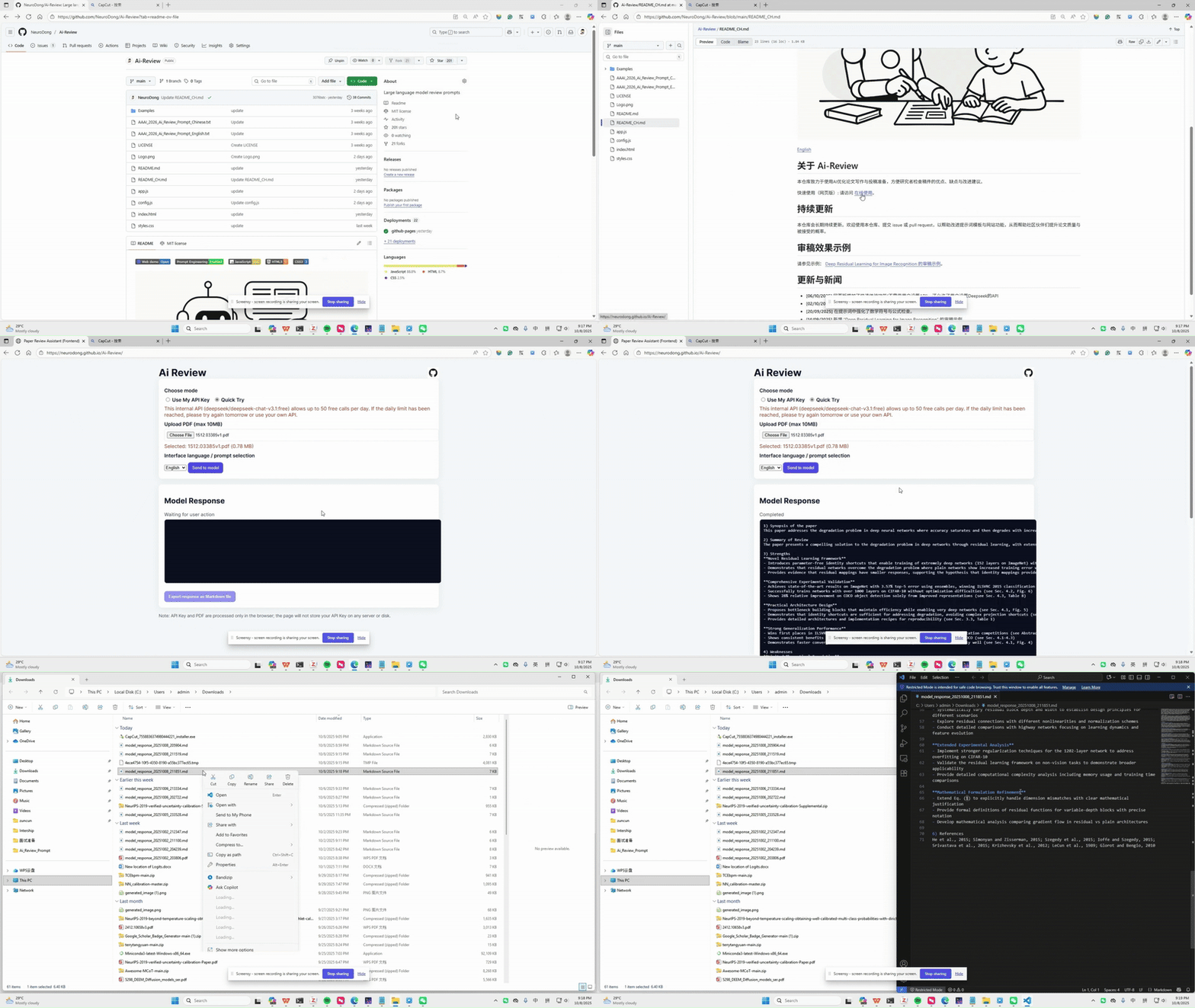
Quick use (web): please visit Website. The following figure is a usage preview:
🚀 Usage Tutorial
🌐 I. Online Website
Ai-Review provides web-based review; no local setup is required—just open a browser.
1. Basic review (LLM)
- Entry: https://ai-review.neurodong.top
- Steps: Upload your PDF manuscript, choose a prompting mode (e.g. SoT, Few-Shot), and click to get structured Strengths, Weaknesses, Suggestions, etc.
- Note: You can use the quick demo on the page or configure your own API (e.g. Deepseek) for more stable results.
2. VLM review
- Entry: https://ai-review.neurodong.top/vlm_review.html
- Steps: Upload a PDF; the system captures page snapshots and runs VLM review, so layout and figures are taken into account. Best when you need the model to see figures and equation layout.
3. Prompt-injection detection
- Entry: https://ai-review.neurodong.top/prompt_injection.html
- Steps: Upload a PDF; the system checks whether the file contains hidden instructions meant to steer or override an AI reviewer.
- Note: Use this before relying on an AI review if you worry the PDF may have been tampered with.
4. Relative Rank (competitiveness ranking)
- Entry: https://ai-review.neurodong.top/compete.html
- Steps: Upload your PDF manuscript. Either pick a target venue (e.g. ICLR, NeurIPS) so the system can select comparison papers from that venue’s accepted list, or upload comparison papers yourself. Every PDF is anonymized, then the pool is ranked by competitiveness so you can see where your manuscript stands.
- Note: This is a relative ranking among the papers in the pool, not a conference decision or an accept/reject prediction. Review tells you how to improve; Relative Rank tells you where you stand against comparable work. Evaluation on 100 pools (pairwise accuracy 83.8%): see Examples/Relative_Rank_evaluation.md.
🧩 II. Skills
On platforms that support Agent Skills (e.g. Cursor), you can use Ai-Review as a Skill and get reviews directly in the chat.
1. Get and install
- The repo includes the Skill definition at: ai-review-skills/SKILL.md
- In Cursor: place the
ai-review-skillsfolder under.cursor/skills/in your project or~/.cursor/skills/in your user directory. Follow your platform’s instructions for loading Skills.
2. Supported formats
- LaTeX:
.tex - PDF:
.pdf - Word:
.docx/.doc
3. How to use and trigger
- Say: use @ai-review-skills to review @paper.
- Or say “审稿”, “论文审稿”, or “review my paper” and provide the manuscript path (e.g.
paper/main.tex,article.pdf). The agent will call the Ai-Review Skill to generate the review.
🔄 Continuous Update
This repository will be updated continuously. Welcome to use this repository, raise issues, and submit pull requests to help improve the prompt templates and website features, thereby helping the community improve paper quality and acceptance probability.
📄 Review Example
Please see: Review example of “Deep Residual Learning for Image Recognition”.
Relative Rank evaluation (100 pools on PeerRead ICLR 2017): Examples/Relative_Rank_evaluation.md.
🧠 Prompt Engineering
- Reverse Prompt (Included): Infer prompts from excellent results generated by large models. The excellent results here come from the AI review at AAAI2026.
- Few-Shot Prompting (Included): In the web UI, select “Prompt + Examples (Few-Shot)” under “Prompting mode”. The system will load templates from
Prompts/and provide the examplesExamples/review_in_Resnet.mdandExamples/review_in_Verified.mdas examples to the model to improve results. See few-shot prompting for background. - Chain-of-Thought Prompting (Included): Allow the model to explicitly perform step-by-step reasoning before answering to improve accuracy and logicality for complex tasks. See here.
- Dynamic interactive prompts (Planned): Let the large language model propose a plan first, interact with users, and then proceed with the review process after the plan is finalized.
🛠️ Review Methods
- Using the VLM model to review (included): Take snapshots of the PDF file, and then use the VLM model to review the snapshots. This allows the model to perceive image and layout information. Click here to experience the review effect of VLM.
- Ai-Review Skills (Included): Use ai-review-skills on agent platforms to review papers with the platform’s built-in LLM. Supports LaTeX, Word, and other formats and accurately perceives manuscript content. See ai-review-skills/SKILL.md for details.
- Scientific image quality evaluation (Included): We implemented layout awareness and image aesthetics in VLM Review, and included the aesthetic results in the review content. See here for details (using VLM-Specific prompts).
- Prompt injection detection (Included): Detects whether prompt-injection content that may interfere with the review exists in the PDF. See here for details.
- Relative Rank (Included): Rank your manuscript against comparison papers from anonymized PDF text, so researchers can quickly see how competitive the work is. Comparison papers can be chosen automatically from a target venue, or uploaded by you. This is not an accept/reject prediction. See here. Evaluation results (100 pools): Examples/Relative_Rank_evaluation.md.
👀 View Prompts
See here. We welcome everyone to provide feedback and help optimize these prompts to better serve the community.
📰 Updates & News
- [20/08/2026] Added Relative Rank so researchers can quickly see how competitive a manuscript is against comparable papers. Removed Side-by-Side prompt comparison, which added little in practice. See here for Relative Rank.
- [19/03/2026] Added prompt-injection detection. See here for details.
- [06/03/2026] Added layout awareness and image aesthetics to VLM Review, and also provided a VLM-specific prompt. See here for details.
- [26/02/2026] Added Ai-Review Skills for generating structured reviews for LaTeX, PDF, and Word manuscripts. Usable on platforms that support Agent Skills (e.g. Cursor); triggered when the user says “审稿”, “论文审稿”, or similar. See here for details.
- [05/02/2026] VLM model review function has been added. Click here to experience the VLM review process.
- [31/01/2026] SoT prompts have been added to the Ai-Review online website, and a bug where review content was unrelated to article content in Side by Side mode has been fixed (due to the PDF file not loading successfully).
- [29/12/2025] Added chain-of-thought prompts to this repository. See details here.
- [25/12/2025] Added a prompt comparison mode (Side by Side) to the online demo to help users choose prompts that match mainstream taste; see here.
- [08/12/2025] Deployed the online demo to Cloudflare; the previous GitHub Pages version (available on branches) is no longer used.
- [16/11/2025] Added the function to accurately extract PDF content using VLM.
- [21/10/2025] Added Few-Shot Prompting to the web UI, see here.
- [18/10/2025] Updated review example samples, see here. These examples were generated using Few-Shot Prompting techniques.
- [06/10/2025] The web version added a Quick Try feature (no API required) and allows users to set Deepseek’s API.
- [02/10/2025] Updated the web AI review functionality.
- [20/09/2025] Strengthened math symbol and formula checks in the prompt.
- [14/09/2025] Added the review example for “Deep Residual Learning for Image Recognition”.
- [14/09/2025] Optimized the prompt so the AI generates more detailed Strengths, Weaknesses, and Suggestions as a secondary list.